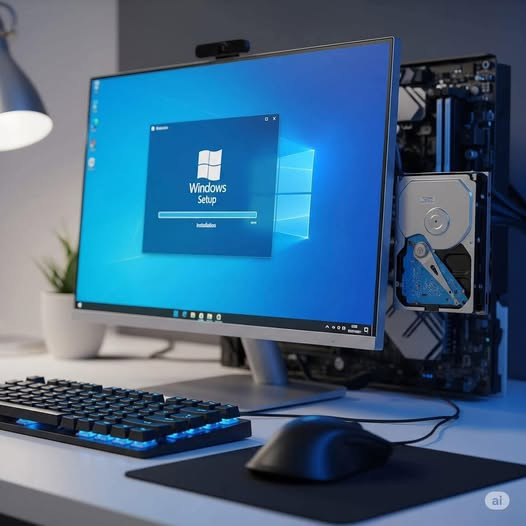
Windows 10/11 တင်နည်း (Clean Installation)
လိုအပ်သောအရာများ
1. USB Bootable (သို့) Windows ISO File
- Microsoft ရဲ့ [official website] မှ Windows 10/11 ISO ဒေါင်းလုပ်ဆွဲပါ။
- Rufus သုံး၍ USB ကို Bootable အဖြစ်ပြုလုပ်ပါ။
2. PC Requirements
- Windows 10
- CPU: 1GHz နှင့်အထက်
- RAM: 1GB (32-bit) / 2GB (64-bit)
- Storage: 32GB နေရာ
- Windows 11
- CPU: 64-bit, 2-core, 1GHz နှင့်အထက် (TPM 2.0 & Secure Boot လိုအပ်)
- RAM: 4GB
- Storage: 64GB
အဆင့်ဆင့်_တင်နည်း
1. BIOS/UEFI မှ Boot Priority ပြောင်းခြင်း
- PC ကို Restart လုပ်ပါ။
- F2 / F12 / DEL / ESC (PC အလိုက်ကွဲပြား) နှိပ်၍ BIOS/UEFI ထဲဝင်ပါ။
- Boot Menu တွင် USB ကို ပထမဆုံး Boot Device အဖြစ်သတ်မှတ်ပါ။
- Save & Exit လုပ်ပါ (ပုံမှန်အားဖြင့် F1။
2. Windows Setup စတင်ခြင်း
- PC က USB မှ Boot လုပ်ပြီး Windows Setup စမည်။
- Language, Time, Keyboard ရွေးပါ
Next > Install Now ။
3. Product Key ထည့်ခြင်း
- Product Key ရှိလျှင် ထည့်ပါ (မရှိလျှင် "I don't have a product key" ကိုနှိပ်ပြီး နောက်မှ Activate လုပ်နိုင်)။
4. Windows Edition ရွေးခြင်း
- Windows 10/11 Pro / Home စသည်ဖြင့် ရွေးပါ။
5. Disk Partition ပြုလုပ်ခြင်း
- "Custom: Install Windows only (advanced)" ကိုနှိပ်ပါ။
- Hard Disk ပေါ်ရှိ Partition များကို Delete လုပ်၍ Unallocated Space ဖြစ်အောင် ပြုလုပ်ပါ။
- New > Apply > Next နှိပ်ပါ (Windows ကို Install လုပ်မည့် Partition ဖန်တီးပါ)။
6. Windows Installation စတင်ခြင်း
- Windows ကို Copy ကူး၍ Install လုပ်မည် (မိနစ် 20-30 ခန့်ကြာနိုင်)။
7. PC Setup ပြုလုပ်ခြင်း
- Region (Myanmar ရွေး) > Keyboard Layout (အင်္ဂလိပ်သို့မဟုတ် မြန်မာ)။
- Microsoft Account (သို့) Offline Account ဖန်တီးပါ။
- Privacy Settings များကို လိုအပ်သလို ပြင်ဆင်ပါ။
8. Desktop ရောက်ပါက
- Device Drivers များကို Windows Update မှတဆင့် Install လုပ်ပါ။
- Activate Windows (Settings > Update & Security > Activation)။
အရေးကြီးသော_အချက်များ
Backup - Install မလုပ်ခင် Data များကို Backup လုပ်ထားပါ။
Secure Boot & TPM 2.0 - Windows 11 တွင် လိုအပ်ပါသည် (PC က Support မလုပ်လျှင် Bypass လုပ်နည်းရှိပါသည်)။
Driver Issues - Wi-Fi, Graphics စသည်တို့အတွက် Driver များကို Manufacturer Website မှ Download ဆွဲပါ။
ဒီပိုစ့်က မိတ်ဆွေအတွက် အကျိုးရှိတဲ့ဆိုရင် Follow လေး နှိပ်ပေးသွားပါဦး ခင်ဗျာ။
မူရင်းရေးသားသူကို လေးစားလျက်